|
to
find out if you qualify for our First Time Buyer pricing.
|
|
Customer Service > Anatomy of a Check Anatomy of a Check
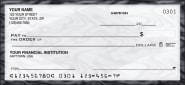
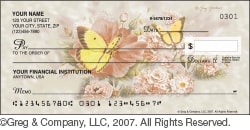
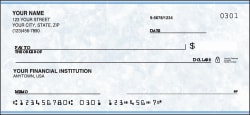
The diagram below highlights specific check components. Move your mouse over any area of the check for a description of each component.
- Monogram or Symbol
- An optional monogram or decorative symbol is available on some check designs.
- Personalization
- The area for printing up to 5 lines of your personal information, including name(s), address, and optional information such as your phone number.
- Fraction
- Fractional number which identifies your bank.
- Check Number
- This sequential number, printed in two locations, allows you to keep track of
the checks you write.
- Dollar Box
- Area to write the numeric amount of the check.
- Padlock Icon
- This icon references security features that have been incorporated to help your financial institution detect attempts at fraud. The features are detailed on the back of each check.
- Bank Information
- Your bank's information must be printed on your checks, which may include the bank's name, address, city, state, and zip. Verify this information with your bank.
- Over Signature Area
- This area is designated for an optional personal message. Some check designs incorporate their own message in this area.
- Signature Line
- This is the area where an account owner signs the check to authorize its use.
- Routing Number
- This 9-digit number identifies your bank. The number starts with 0, 1, 2, or 3.
- Account Number
- This checking account number, assigned by your bank, is 4 digits or more.
- Personalization
- There are 5 lines available for the personalization of your checks. This information typically includes your name and address and optional information such as your phone number. For security reasons, we recommend that you avoid from including your driver's license number on your checks. For your protection and due to laws in several states, printing social security numbers on any material to be delivered by mail is no longer permitted.
- Bank Information
- Your bank information must be printed on your checks. The bank name is required, but you may also need to include your bank's address. Refer to your existing checks to determine what information should be included here.
- Symbol/ Monogram area
- If the design of your check allows, you may select an optional symbol or monogram to appear to the left of your personalization
- Over Signature Text Area
- If the design of your check allows for it, you may include a personal message in the over signature area on your checks.
- Routing Number
- The first number in the MICR line at the bottom of your check is your bank's routing number. It is 9 digits long and always starts with 0, 1, 2 or 3.
- Account Number
- Your account number may appear before or after your check number in your check's MICR line.
- Check Number
- The sequential number for your checks appears in both the MICR line at the bottom of your checks and the upper right corner of your checks. This number allows you to keep track of the checks you write.
- Signature Line
- The account owner endorses the signature line on a check to authorize its use.
- Pay To Line
- The "Pay To" line is where you identify the person/business to whom the check is written.
- Dollars Box
- The "Dollars" box is where you write the numeric amount of the check. It is written out additionally on the amount line, which is below the "Pay To" line on the check.
- Amount Line
- This line is provided for you to write out the amount of your check.
- Fraction
- The fraction on your check is used to identify your bank.
- Padlock Icon
- This icon references security features which have been included on your checks to help your bank identify check fraud. These features are described on the back of your checks.
|